Blog→Content→A LinkedIn Content Plan for Busy Experts: One…
A LinkedIn Content Plan for Busy Experts: One Hour a Week
Updated 6 min read
Create an effective LinkedIn content plan in just one hour a week.
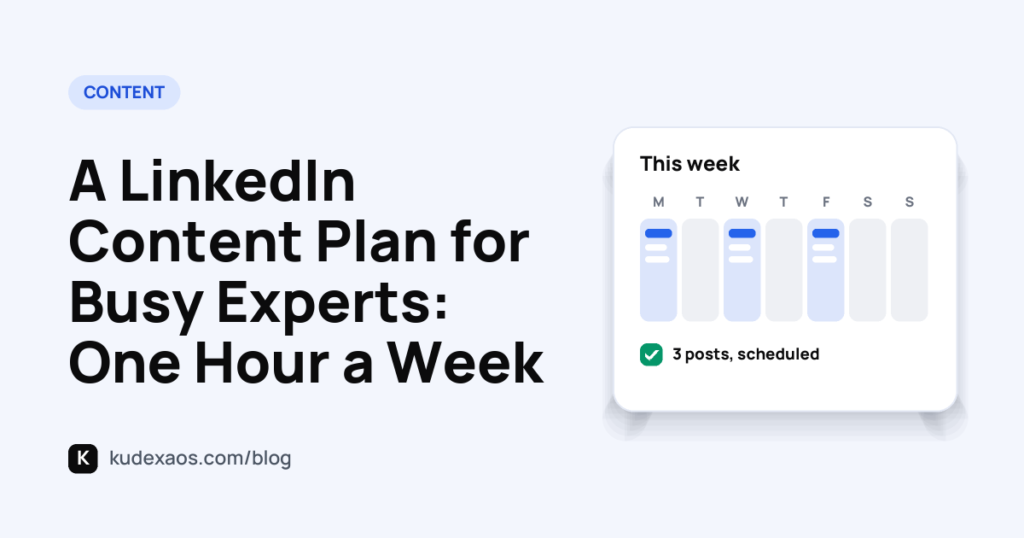
You can create a LinkedIn content plan that only takes one hour each week. This plan will help you post consistently and engage your audience without feeling overwhelmed.
- Create a content plan with clear themes.
- Spend time each week brainstorming ideas.
- Schedule your posts to save time.
- Engage your audience with questions.
- Review your post effectiveness regularly.
On this page
What should I include in my content plan?How do I come up with content ideas quickly?How can I schedule my posts efficiently?How can I engage my audience with minimal effort?How can I measure my content's effectiveness?What resources can help me stay consistent?Questions people askYou want to stay visible on LinkedIn but feel overwhelmed by the time it takes. You post occasionally, but you know consistency is key to building your brand.
By the end, you'll have a straightforward content plan that fits into your busy schedule.
What should I include in my content plan?
I see this in almost every profile I check. Many experts say, 'I share random posts when I have time.' This approach costs you consistency and engagement. Without a clear plan, your audience won't know what to expect.
A content plan should include themes, types of posts, and a posting schedule. For example, you might focus on sharing industry insights, personal stories, and actionable tips. This structure gives your audience a reason to return.
Here's how to fix it step by step. First, choose three themes that reflect your expertise. Then, assign specific days for each type of content. For instance, say 'Every Monday, I post an industry insight, Wednesday is for tips, and Friday is a personal story.'
This method works because it creates a reliable rhythm. Your audience learns when to look for new content from you. It also helps you stay organized and reduces the daily pressure of coming up with ideas.
I share random posts when I have time.
Every Monday, I post an industry insight, Wednesday is for tips, and Friday is a personal story.
How do I come up with content ideas quickly?
I see this in almost every profile I check. Many experts say, 'I struggle to think of what to post.' This mindset costs them visibility and connection with their audience. They end up posting infrequently or sharing content that doesn't engage anyone.
The fix is simple. Set aside time to brainstorm. I recommend dedicating 10 minutes every Friday to think about next week's post ideas. Focus on current trends or themes relevant to your audience.
Start by jotting down topics that align with your expertise. If you're a digital marketing consultant, think about recent algorithm changes on social media platforms. If you’re a productivity coach, consider sharing tips on managing time effectively in a remote work environment.
Using prompts can also spark creativity. Ask yourself questions like, 'What common challenges do my clients face?' or 'What recent insights have I gained in my field?' This structured approach leads to more engaging content.
When you approach content creation this way, it feels less daunting. You build a bank of ideas that connect with your audience. This method keeps your content fresh and relevant, leading to better engagement and connection with your network. I built Kudexa OS to help streamline this process.
I struggle to think of what to post.
I set aside 10 minutes every Friday to brainstorm next week's post ideas based on current trends.
How can I schedule my posts efficiently?
I see this in almost every profile I check. Many people say, 'I post whenever I remember.' This approach leads to inconsistency and missed opportunities to engage with your audience. It costs you visibility and can make your content feel scattered, which isn’t ideal for building a personal brand.
The fix is straightforward. Use a simple scheduling tool or calendar. Set aside time each week to plan your posts in one sitting. This can be just 30 minutes on a Sunday. When you plan ahead, you free yourself from the daily stress of deciding what to post.
For example, instead of posting on a whim, you could say, 'I schedule my posts every Sunday for the upcoming week, so I don't have to think about it daily.' This gives you a clear structure and ensures your content is ready to go.
By scheduling your posts, you create a routine. This habit not only saves time but also helps you stay consistent. Your audience will come to expect your content and engage with it more regularly. With Kudexa OS, you can streamline this process even further, making it easier to maintain your presence.
I post whenever I remember.
I schedule my posts every Sunday for the upcoming week, so I don't have to think about it daily.
- Set themes for the week Choose 3 main topics.
- Brainstorm post ideas Spend 10 minutes on this.
- Schedule posts Use a tool or calendar.
- Engage with your audience Ask questions in posts.
- Review engagement Look at likes and comments.
Not sure where yours folds? Check your free brand scoreGet a free audit of your LinkedIn profileTry it free for 14 days.
How can I engage my audience with minimal effort?
I often see profiles where people write, 'I rarely get comments on my posts.' This kind of statement shows a lack of engagement. It can cost you visibility and connection with your audience. You want to build a conversation, not just share information.
Instead, try to end your posts with a question. For example, instead of sharing insights and waiting for comments, say, 'I always end my posts with a question to encourage discussion.' This invites your audience to share their thoughts.
Asking questions or prompting comments takes minimal effort but can significantly boost your engagement. It creates an open space for dialogue and shows your audience that you value their input.
This approach works because it makes your content feel interactive. People are more likely to comment if they feel their opinions matter. It also helps you understand your audience better, allowing you to tailor future content to their interests.
By focusing on engagement through questions, you create a community around your expertise. This not only enhances your visibility but also establishes your presence as someone who listens and responds.
I rarely get comments on my posts.
I always end my posts with a question to encourage discussion.
How can I measure my content's effectiveness?
I often see profiles that say, 'I don’t know if my posts are effective.' This shows a lack of engagement tracking. Without understanding how your content performs, you risk wasting time on posts that don't connect with your audience.
Instead, I recommend you track likes, comments, and shares for each post. This simple practice gives you clear feedback on what engages your audience. Look for patterns in the posts that get the most interaction.
Next, take a moment each month to review your post engagement. Ask yourself which topics sparked the most conversation or interest. This analysis will help you refine your content strategy moving forward.
Finally, adjust your content based on these insights. If a particular topic generates more likes, create more posts around that theme. When you focus on what your audience prefers, you enhance your engagement without extra effort.
I don’t know if my posts are effective.
I review my post engagement every month and adjust my content based on what my audience prefers.
What resources can help me stay consistent?
I see this in almost every profile I check. Many people write, 'I spend too much time creating posts.' This approach holds you back from consistency. When you don't have a system, you waste valuable time and energy. You need to streamline your process with resources that work for you.
Using templates is a straightforward fix. Instead of starting from scratch each time, use a template for your posts. This saves you time and keeps your messaging clear. It helps you focus on your ideas rather than formatting.
Consider graphic tools. They can help you create visuals quickly. Instead of spending hours on design, you can produce engaging graphics in minutes. This makes your posts more appealing without the hassle.
Another resource is a content calendar. It keeps your ideas organized and helps you plan ahead. You can set reminders for when to post and what to share. This keeps you on track without feeling overwhelmed.
With these tools, you can maintain a steady rhythm. You’ll find that consistency becomes easier. It’s about simplifying your workload so you can focus on what matters: connecting with your audience.
I spend too much time creating posts.
I use a template for my posts and a graphic tool to save time.
Start your journey to a consistent LinkedIn presence with Kudexa OS.
Questions people ask
How often should I post on LinkedIn?
Aim for at least 3 times a week to stay visible.
What types of content work best?
Industry insights, personal stories, and tips resonate well.
How can I increase my engagement?
Ask questions and encourage comments in your posts.
What tools can help with scheduling?
Consider using a calendar or scheduling software.

The Kudexa Weekly: One practical LinkedIn play every week: your profile, your posts, your list and your offer.
One email a week. Unsubscribe any time.Six taps, under a minute. Your score out of 100 and three headlines written for you.
Check your brand score, free →Your score first, then your headline, About and Featured checked line by line. Free, no card.
Get your free LinkedIn audit →Every part of Kudexa OS, free for 14 days. ₹0 today, cancel any time before the free days end.
Start your 14-day free trial → Content
LinkedIn Hook Examples That Stop the Scroll
Discover powerful LinkedIn hooks to engage your audience and grow your brand.
Content
LinkedIn Hook Examples That Stop the Scroll
Discover powerful LinkedIn hooks to engage your audience and grow your brand.
 Content
What to Post on LinkedIn When You Are Starting from Zero
Discover what to share on LinkedIn to build your personal brand from scratch.
Content
What to Post on LinkedIn When You Are Starting from Zero
Discover what to share on LinkedIn to build your personal brand from scratch.
 Clients
How to Get Clients from LinkedIn Without Ads
Learn practical steps to attract clients on LinkedIn without spending on ads.
Clients
How to Get Clients from LinkedIn Without Ads
Learn practical steps to attract clients on LinkedIn without spending on ads.