Blog→Profile→Checklist for Optimizing Your LinkedIn Featured Section
Checklist for Optimizing Your LinkedIn Featured Section
Updated 5 min read
Transform your LinkedIn Featured section to capture leads effectively.
To optimize your LinkedIn Featured section, ensure it clearly communicates who you are, what you offer, and how potential clients can engage with you. Use specific examples and actionable items to encourage conversations.
- Update your Featured section to reflect your expertise.
- Use engaging visuals that attract attention.
- Include clear calls to action to encourage interaction.
On this page
Before you showcase: 4 checksEngagement factor: 4 checksVisual appeal: 3 checksRelevance check: 3 checksTracking engagement: 4 checksQuestions people askYou post regularly on LinkedIn, and people engage with your content. But the likes and comments don't translate to leads.
By the end of this article, you'll have a clear checklist to optimize your Featured section and turn readers into potential customers.
Before you showcase: 4 checks
Does your Featured section highlight your expertise clearly? Make sure the content you showcase directly reflects your skills and services. If your Featured section includes unrelated posts or articles, it’s time to replace them with content that speaks directly to your audience's needs.
Is your Featured section updated regularly? An outdated section can create confusion about your current offerings. Set a reminder to review and refresh your Featured section every few months to ensure it aligns with your latest work and achievements.
Do you include a variety of content types? Relying on just one format can limit engagement. Incorporate articles, videos, and presentations to cater to different preferences and showcase your versatility.
Is there a clear call to action in your Featured section? Without guidance, visitors may not know what to do next. Add a simple invitation like 'Connect with me to discuss your needs' to encourage interaction and make it easy for potential clients to reach out.
Engagement factor: 4 checks
Do your featured posts encourage interaction? Check if your featured content includes calls to action or questions that invite readers to engage. If not, consider adding a post that directly asks your audience to share their thoughts or reach out for more information.
Are you responding to comments on your featured posts? Review the comments section of your featured content. If you see unanswered questions or comments, take the time to respond. Engaging with your audience shows you value their input and encourages further interaction.
Is your content shareable? Look at your featured posts and assess if they contain valuable insights or tips that your audience would want to share. If not, create posts that offer practical advice or interesting perspectives that would prompt shares.
Does your content reflect current trends or discussions? Analyze whether your featured posts address relevant topics in your field. If your content feels outdated, update it with fresh insights or commentary on current events to spark more engagement.
- Highlight Expertise Showcase relevant skills and services.
- Encourage Interaction Include calls to action in posts.
- Engaging Visuals Use high-quality images or videos.
- Keep Content Relevant Update featured items regularly.
- Track Engagement Monitor which posts lead to inquiries.
Visual appeal: 3 checks
Are the visuals in your Featured section eye-catching? Review the images or videos you have included. High-quality visuals can grab attention and make your posts more memorable. If you have blurry images or poorly lit videos, they can create a negative impression. Replace them with sharp, well-composed visuals that represent your brand accurately. For instance, if you're a career coach, use a professional photo of yourself in action, perhaps during a workshop or a speaking engagement.
Do your visuals align with your messaging? Check if the imagery you use supports what you’re communicating. If your Featured section talks about coaching B2B teams but your visuals include unrelated stock photos, it can confuse viewers. Choose visuals that directly relate to your content, like infographics summarizing your key points or testimonials from clients, to reinforce your message.
Is there a consistent style in your visuals? Look for a cohesive look across your Featured section. If your images vary wildly in style or color, it can feel disjointed. Aim for a consistent color palette and design style that reflects your brand identity. For example, if you use specific colors or fonts in your logo, incorporate those into your Featured visuals for a unified presentation.
Are you sure your Featured section is optimized for leads? Check your free personal brand scoreGet your free profile auditTry Kudexa OS free for 14 days.
Relevance check: 3 checks
Do your featured items align with your current offerings? Check if the posts or articles you're featuring match your current services or products. If you notice outdated content that doesn’t reflect your expertise, it's time to remove it and replace it with fresh, relevant materials.
Are you highlighting your latest achievements? Review the items in your Featured section to see if they showcase your most recent work or accomplishments. If they don’t, update your section with examples that better represent your current skills and successes.
Is your content addressing your target audience's needs? Look at the featured items and ask if they connect with the interests of your ideal clients. If they don’t, consider swapping them out for content that speaks directly to the challenges and goals of your audience.
Short on time? I can give you "Checklist for Optimizing Your LinkedIn Featured Section" in a few lines, or answer any question about it.
Tracking engagement: 4 checks
Are you tracking which featured posts attract leads? Implement a system to see which of your featured items lead to conversations or inquiries. If you’re not tracking this, you’re missing out on valuable insights.
Do you analyze engagement metrics for your featured section? Look at likes, comments, and shares on your posts. If these numbers are low, consider adjusting your content to better connect with your audience.
Have you set up a feedback loop with your network? Regularly ask your connections for their thoughts on your featured content. Their input can help you identify what works and what doesn’t.
Are you reviewing your analytics regularly? Check your LinkedIn analytics at least once a month to see what’s performing well. If you notice a pattern, use it to guide your future posts.
Take action today to optimize your LinkedIn Featured section. With Kudexa OS, you can track which posts bring in leads and improve your approach effectively.
Questions people ask
What should I include in my LinkedIn Featured section?
Include posts, articles, or media that showcase your skills and services.
How often should I update my Featured section?
Update regularly, especially when your offerings change or you create new content.
Can visuals in my Featured section impact engagement?
Yes, high-quality visuals can significantly enhance engagement and attract more viewers.
How can I track the effectiveness of my Featured section?
Use LinkedIn analytics to monitor which posts generate inquiries or conversations.

The Kudexa Weekly: One practical LinkedIn play every week: your profile, your posts, your list and your offer.
One email a week. Unsubscribe any time.Start with your free LinkedIn audit, set up your visual brand, and plan your first month of posts. Nothing to pay today: cancel any time before day 15.
Try Kudexa free → Profile
What to Put in Your LinkedIn Featured Section to Get Leads
To attract leads through your LinkedIn Featured section, focus on showcasing your best content, client testimonials, and offers. Highlighting these elements makes it clear what you…
 Profile
The LinkedIn Profile Checklist: 11 Things a Buyer Checks
Buyers check specific elements on your LinkedIn profile to gauge your credibility. This checklist highlights 11 must-have items to attract their attention.
 Profile
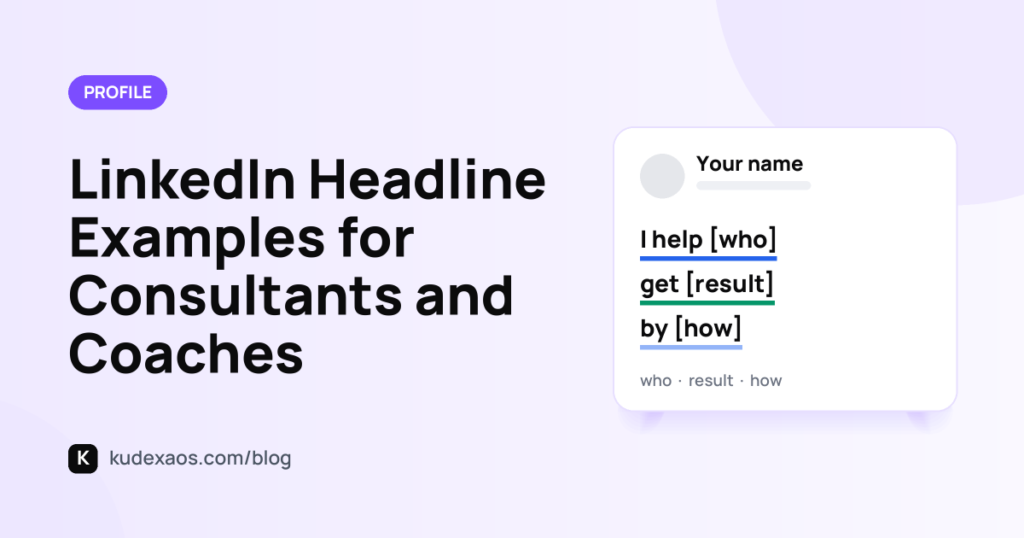
LinkedIn Headline Examples for Consultants and Coaches
Your LinkedIn headline should clearly state what you do and who you help. Instead of vague phrases, use examples that resonate with your audience.